
Capture
Screenshots, source windows, Steam Deck overlays, browser text, subtitles, articles, lyrics, and scripts.
2025-present / Acorn Talk
A Japanese learning project I started in 2025. The goal is to make native material less frustrating: capture what you want to understand, save the words that matter, and review them with the context still attached.
Why I kept going
Acorn Talk is the first project I have worked on mostly by myself for this long. That has been surprisingly fun. I am building something I actually want as a Japanese learner, so the motivation is not abstract.
I was using WaniKani to learn kanji and vocabulary, and it was useful. But I was still frustrated by how hard it was to approach native material. Games, manga, shows, songs, and websites were the reason I wanted to learn, but getting through a single page or scene could feel like a slog.
I also had a lot of ideas about how recent AI tools could make language learning better. Not one giant idea, really. More like dozens of small ideas: better lookup, better audio, better context, better review, and less friction between the thing I wanted to read and the words I needed to learn.
One early measurement stuck with me. The first episode of Spy x Family had roughly 600 unique words. Out of about 2,000 words I knew from textbooks and WaniKani-style study, only about 100 showed up in that episode. The generic path was not obviously taking me where I wanted to go.
The Loop
The workflow I keep coming back to is: find Japanese you care about, inspect it, save the useful pieces, and review them later. The hard part is making that feel light enough that you keep doing it.
Screenshots, source windows, Steam Deck overlays, browser text, subtitles, articles, lyrics, and scripts.
OCR, Japanese tokenization, deconjugation, dictionary matching, LLM-assisted context, translation, and ambiguity recovery.
Selected words keep their sentence, screenshot, reading, sense, audio state, source metadata, and occurrence metadata.
Tango materializes notes, items, contexts, and cards so learners build quick kanji and word recognition.
Tango
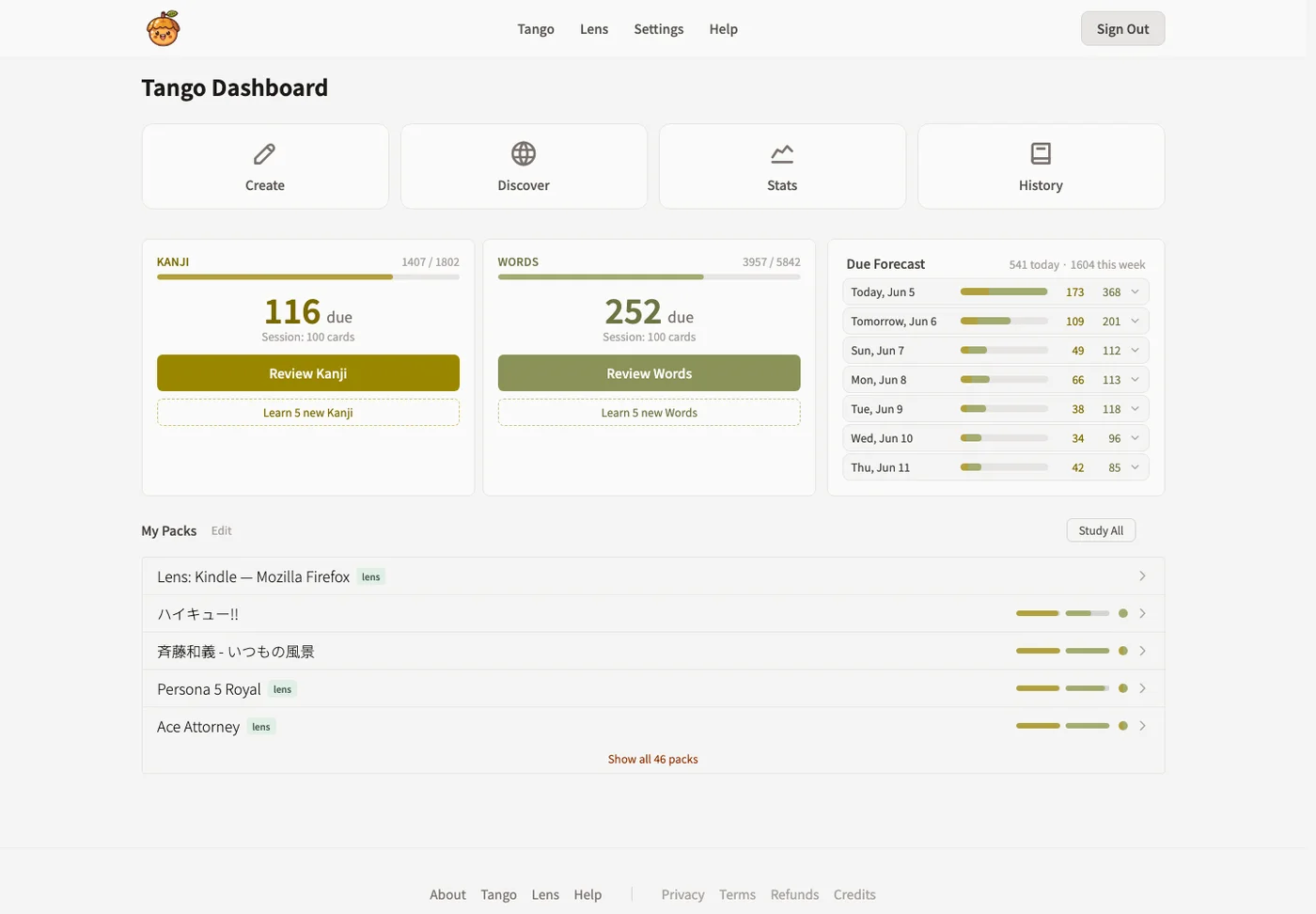
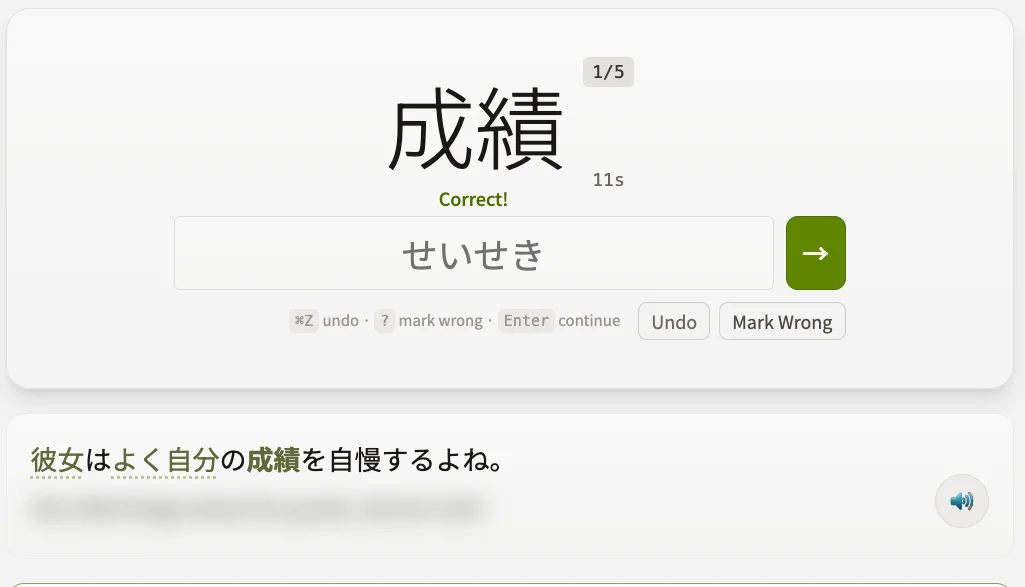
Tango is the web app where saved Japanese becomes review material: words, kanji, readings, context sentences, screenshots, and audio.
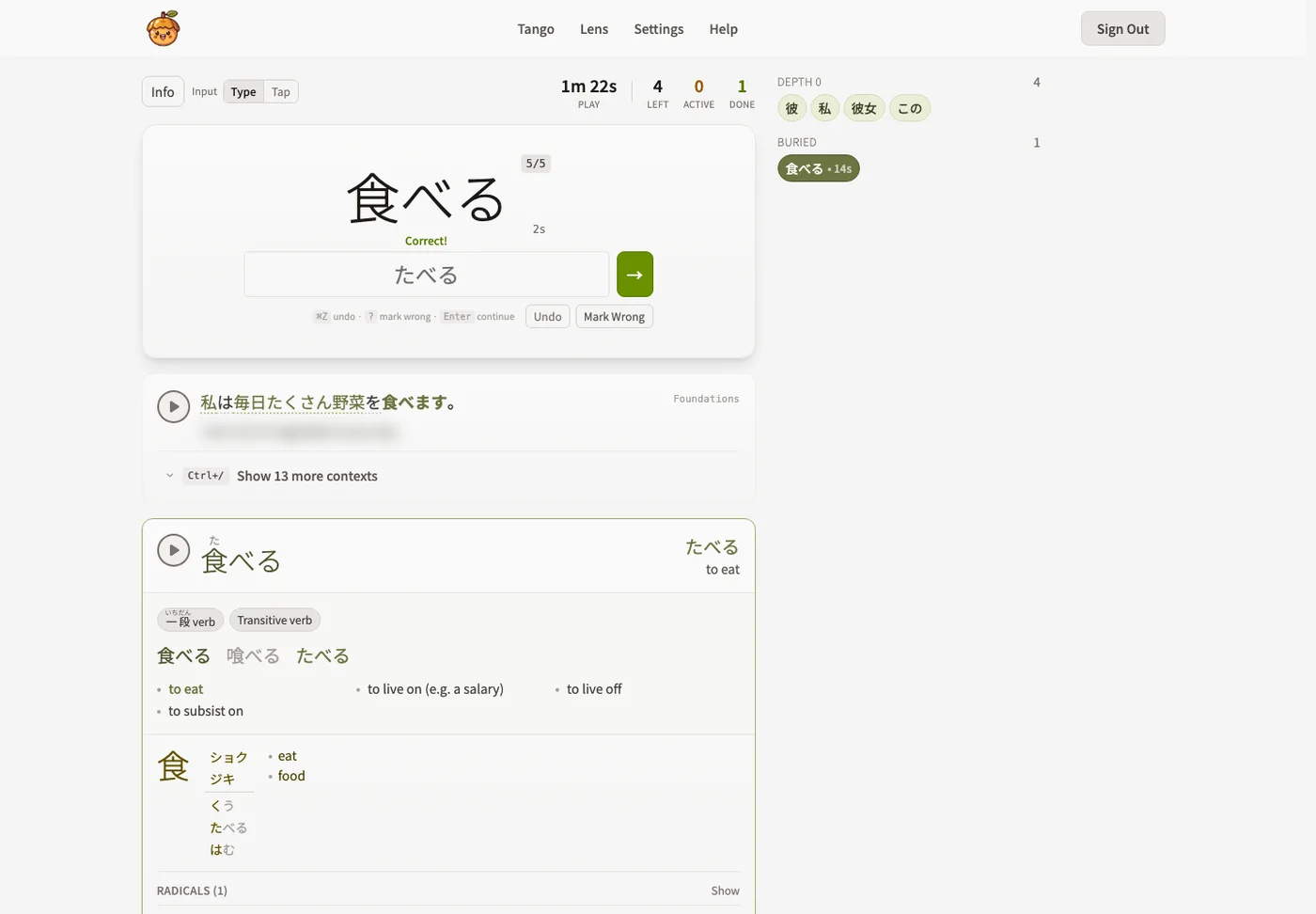
Review sessions train recognition while keeping the original context close to the answer. The goal is not to replace native material with flashcards. The goal is to make coming back to native material easier.
Lens
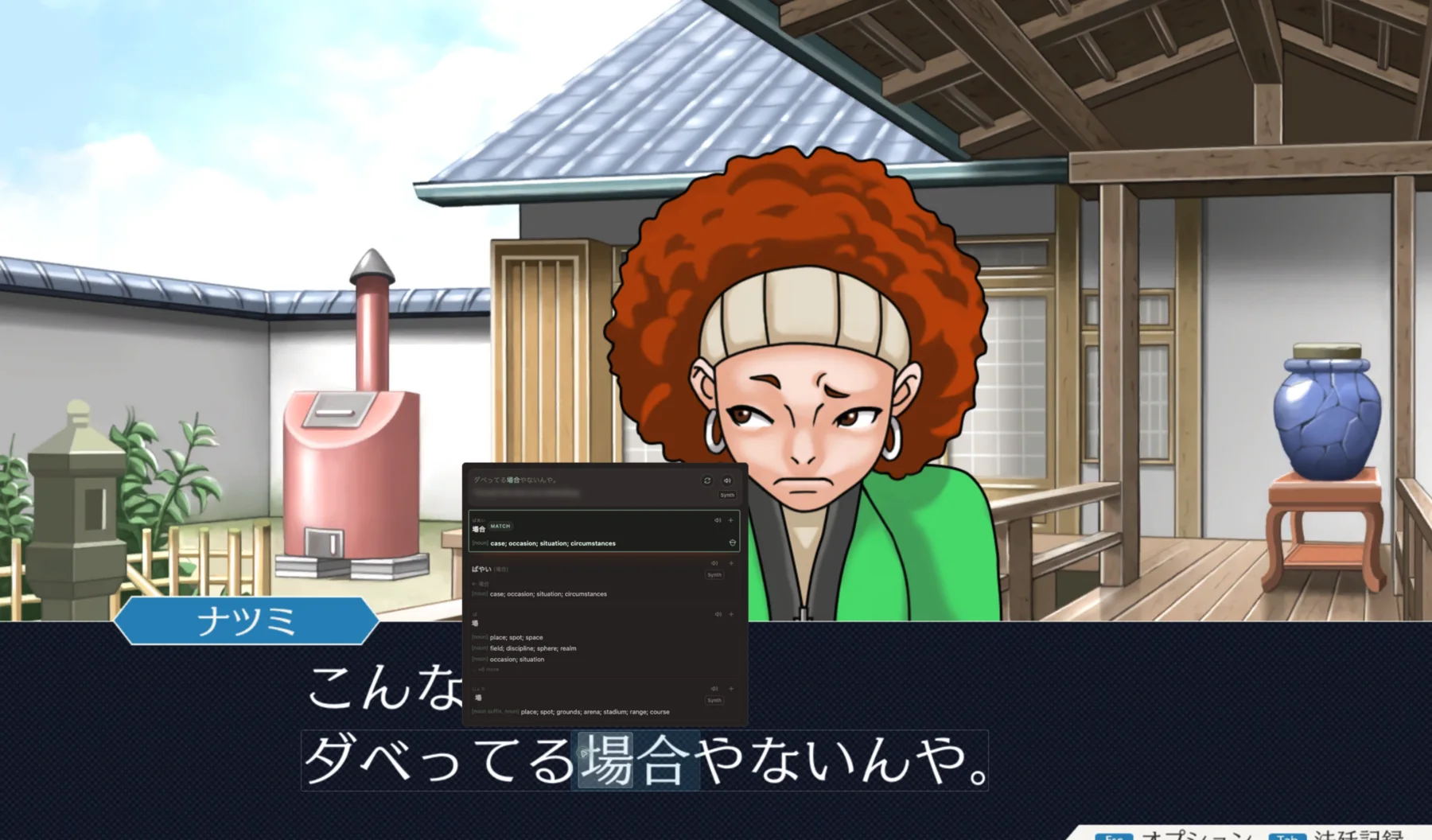
Lens began as the missing piece for Japanese games on Steam Deck. I wanted to stay in the game, inspect a line, hear pronunciation, save a word, and keep playing.
Later, Desktop Lens brought the same idea to any window on Windows, macOS, and Linux. Lens can analyze a lot of text, but only the words you choose become study material.

Product Surface
The product grew into a few related surfaces. They are all trying to keep the same loop intact: understand something real, save the useful parts, and make review feel connected to the source.
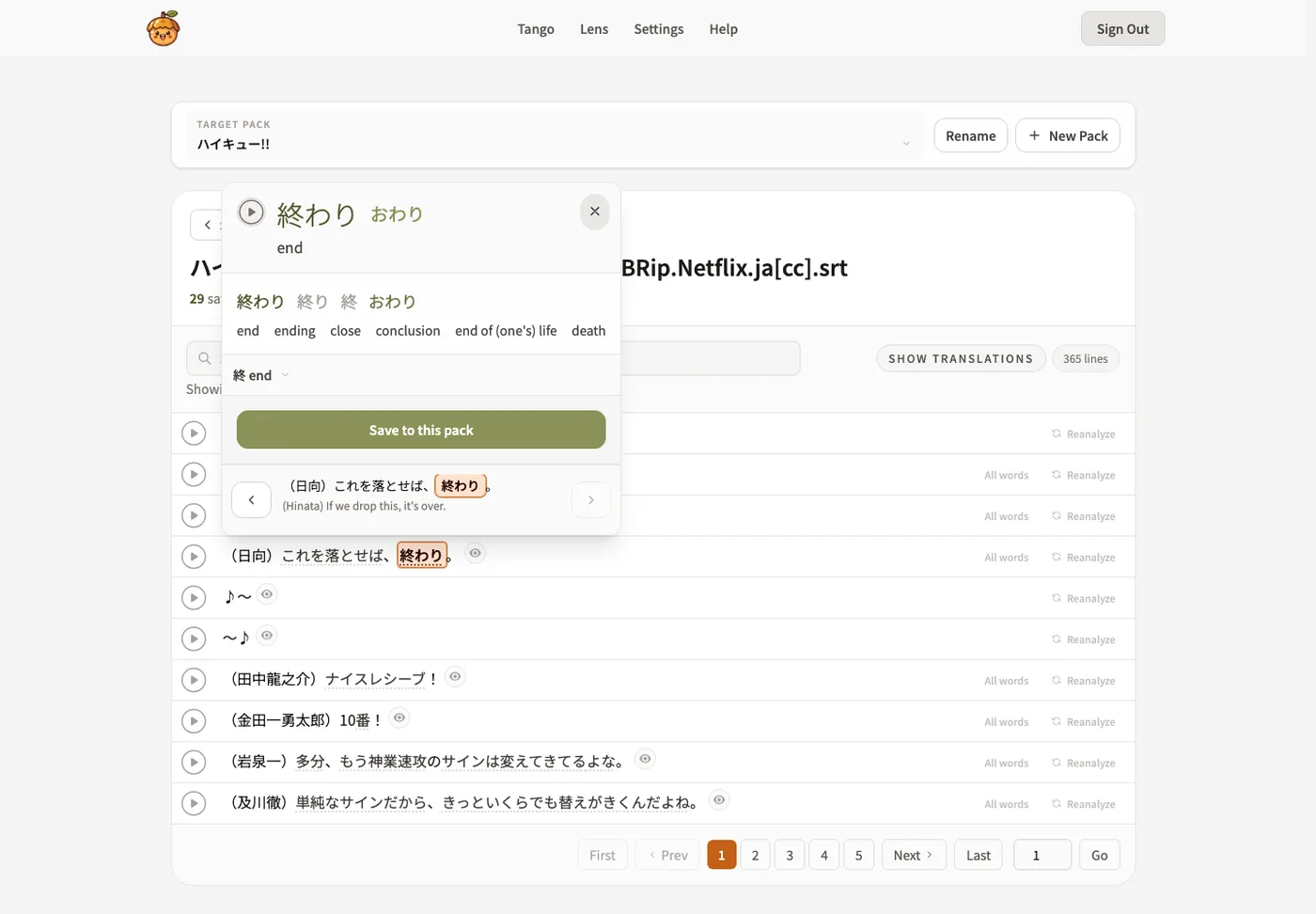
Paste or upload Japanese text, inspect detected words line by line, then save the pieces worth reviewing.
Study sessions keep readings, context sentences, kanji breakdowns, and audio close to the answer.
Native speaker recordings are preferred, synthetic fallback is labeled, and bad generated audio can be detected and replaced.
Technical Scope
Acorn Talk includes a web app, a desktop app, a Steam Deck plugin, backend APIs, content-processing workflows, audio tooling, authentication, billing, email, and service monitoring.
The language-processing work includes OCR, Japanese tokenization, dictionary lookup and disambiguation, kanji decomposition, sentence segmentation, translation, native-speaker audio, TTS fallback, and spaced repetition. Lens handles capture and lookup; Tango handles saved material and review.
Milestones
Generic study lists were not getting me closer to the specific Japanese I wanted to read, watch, and play.
Tango became a place to save vocabulary, kanji, sentences, audio, and progress from real source material.
Tango opened to everyone, and Lens gave Japanese games a read-and-save overlay on Steam Deck.
Lens expanded to Windows, macOS, and Linux with hotkey capture, OCR, dictionary lookup, audio, and saving into Tango.
The project had grown from personal study tooling into a product suite, a corpus, a desktop app, a Steam Deck plugin, and a learning workflow I kept using.
Gallery / Memories
A few pieces of the product surface: desktop lookup, Steam Deck lookup, Tango study, kanji feedback, audio quality work, and saved captures.
Captures can be grouped by source so a game, manga volume, show, or article can become study material.
Gallery item 1 of 8